Cracked Back Glass Repair
Cracked back glass is one of the most common phone damages. Whether you can fix it yourself depends on your phone model - newer iPhones require professional tools, while Samsung and older iPhones are DIY-friendly.
🤔 Should You Even Fix It?
Back glass cracks are purely cosmetic in most cases. Your phone will work perfectly fine with a cracked back. Consider these options:
- •Use a case: A $10-20 case covers the damage completely and protects from future drops.
- •Skin/wrap: Dbrand, Slickwraps, etc. sell vinyl covers that hide cracks for $15-25.
- •Leave it: If it doesn't bother you, save your money. It won't affect phone function.
📱 iPhone Back Glass - Reality Check
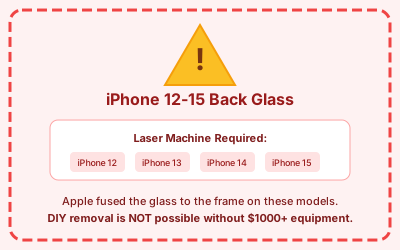
⚠️ iPhone 12-15 Warning: Apple fused the back glass to the frame on these models. DIY removal is nearly impossible without a $1000+ laser machine. Professional repair or housing replacement recommended.
| Model | DIY? | Glass Cost | Pro Repair | Method |
|---|---|---|---|---|
| iPhone 15 Pro Max | ✗ No | $35-60 | $169-249 | Laser machine only |
| iPhone 15 Pro | ✗ No | $35-50 | $169-199 | Laser machine only |
| iPhone 15/15 Plus | ✗ No | $30-45 | $149-179 | Laser machine only |
| iPhone 14 Series | ✗ No | $25-45 | $149-199 | Laser machine only |
| iPhone 13 Series | ✗ No | $20-40 | $129-199 | Laser machine only |
| iPhone 12 Series | ✗ No | $20-35 | $99-149 | Laser or heat method |
| iPhone 11 Pro/Max | ✓ Yes | $15-30 | $79-129 | Heat + pry (difficult) |
| iPhone 11 | ✓ Yes | $10-20 | $49-79 | Heat + pry |
| iPhone X/XS/XS Max | ✓ Yes | $15-25 | $79-129 | Heat + pry |
| iPhone 8/8 Plus | ✓ Yes | $10-20 | $49-79 | Heat + pry (easiest) |
📱 Samsung Back Glass - More DIY-Friendly
✓ Good news: Samsung back glass uses regular adhesive, not fusion. All models are DIY-repairable with basic tools and patience.
| Model | Glass Cost | Pro Repair | Notes |
|---|---|---|---|
| Galaxy S24 Ultra | $25-40 | $99-149 | Standard heat + pry |
| Galaxy S24/S24+ | $20-35 | $79-129 | Standard heat + pry |
| Galaxy S23 Series | $20-30 | $69-119 | Standard heat + pry |
| Galaxy S22 Series | $15-25 | $59-99 | Easier than iPhone |
| Galaxy S21 Series | $12-20 | $49-89 | Easiest Samsung |
| Galaxy A54/A53 | $10-18 | $39-69 | Very DIY-friendly |
🧰 Tools Needed (DIY-Feasible Models)
Hair dryer, heat pad, or heat gun on LOW
For lifting the glass
Multiple thin picks
With adhesive pre-applied
For cleaning old adhesive
If not included with glass
Great for sliding under glass
DIY Steps (iPhone 8-11 / All Samsung)
For DIY-feasible models only. iPhone 12-15 owners: see professional repair options below.
Step 1 illustration
Unlike screen repairs, you CAN remove the back glass without opening the phone - but the pentalobe screws at the bottom need to come out first.
Remove the two screws flanking the Lightning/USB-C port.
**Note:** On iPhone 12-15, Apple has made back glass essentially impossible without a laser machine. The glass is fused to the frame. Skip to "Alternative Options" below if you have these models.
Step 2 illustration
Heat the cracked back glass for 3-5 minutes. Focus on the edges where the adhesive is located.
The glass should be warm but not too hot to touch for a few seconds. If it's painful immediately, it's too hot.
**Tip:** Use a heat pad or iOpener if available - more even heat than a hair dryer.
Keep reheating as you work - the adhesive cools down and re-bonds quickly.
Step 3 illustration
Apply suction cup to the heated glass and pull up while inserting a thin pry tool at a corner.
**Best starting points:**
- iPhone: Bottom corners near the screws you removed
- Samsung: Any corner that seems to give first
Once you get the tool under, slide it along the edge to separate adhesive. Leave picks in place to prevent resealing.
**Go SLOW** - you're essentially shattering the glass more to remove it. Wear safety glasses if the glass is heavily cracked.
Step 4 illustration
Work your way around all edges. The glass may come off in pieces - that's normal and expected.
**Be careful around:**
- Camera lens area (don't scratch or damage lenses)
- Wireless charging coil (underneath)
- Flash/LED area
Remove ALL glass fragments. Use tweezers for small pieces stuck in corners.
Step 5 illustration
Use isopropyl alcohol (90%+) to clean all old adhesive residue from the frame.
The surface needs to be completely clean and smooth for the new glass to adhere properly.
Check for any remaining glass shards - run your finger carefully around the edges (with gloves if sharp).
Let the alcohol fully evaporate before applying new glass.
Step 6 illustration
Most replacement back glass comes with adhesive pre-applied. If not, apply new adhesive to the frame.
**Align carefully** - you get one shot at this. The camera cutouts need to match perfectly.
Press down firmly around all edges. Apply pressure for 60 seconds.
For best results, place a heavy book on the phone (screen down on soft surface) for 1-2 hours.
🔧 Options for iPhone 12-15 (Not DIY)
1. Laser Back Glass Removal ($99-199)
Many repair shops now have laser machines that can remove the glass without damaging internals. Clean result, wireless charging still works.
2. Full Housing Replacement ($150-300)
Replace the entire back housing + frame. More expensive but includes new buttons, charging port housing, and fresh look. Available in all colors.
3. Back Glass Protector/Skin ($15-30)
Cover the crack with a tempered glass protector or skin. Doesn't fix it but protects from further damage and hides the crack. Cheapest option.
4. Just Use a Case ($10-50)
Seriously - the most practical solution for most people. Cracked back glass is cosmetic only. A nice case hides it completely and prevents future damage.
Need Professional Back Glass Repair?
Find repair shops in your area that offer laser back glass removal or housing replacement.
Get Repair Quotes →